Javelin charges processing fees associated with card transactions, which usually comprise of a fixed component and a variable percentage value. These fees can change based on the number or value of transactions Javelin is processing for you.
To find out what fees are being charged to you, please follow these steps:
- Log into the Javelin portal
- In the left menu, click on the "Companies" link
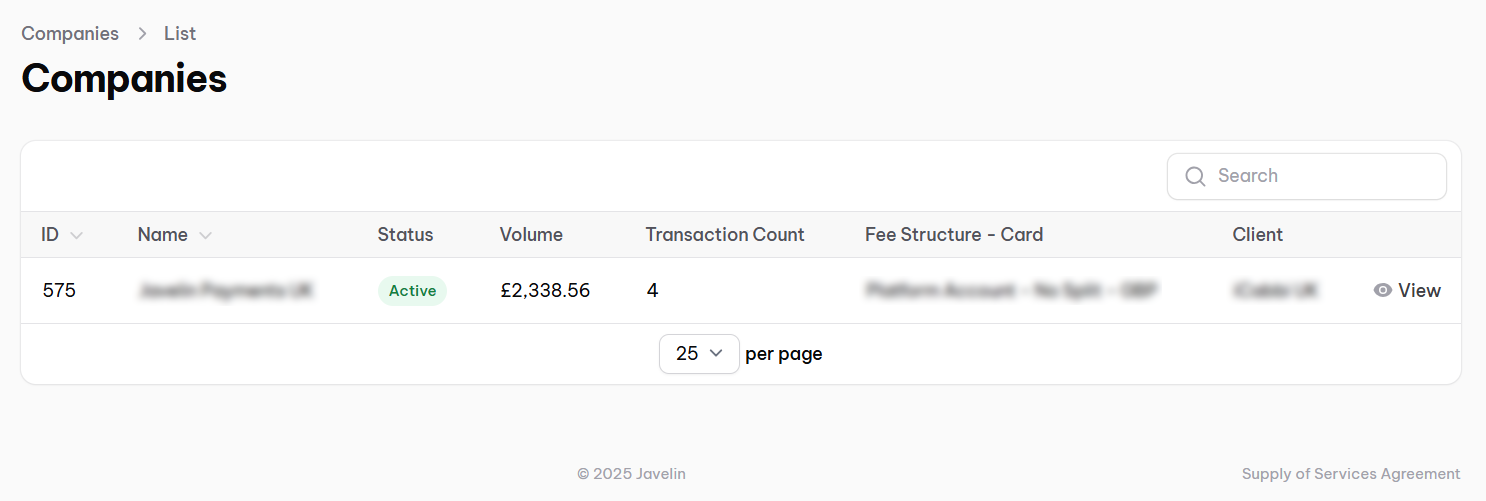
- You may see multiple companies in this section. For the company you want to find the fees for, make a note of the "Transaction Count" value
- On this same screen in the bottom right, you'll see a link for "Supply of Services Agreement", please click on that
- Scroll down on this screen towards the bottom until you come to the "Processing Fee" section
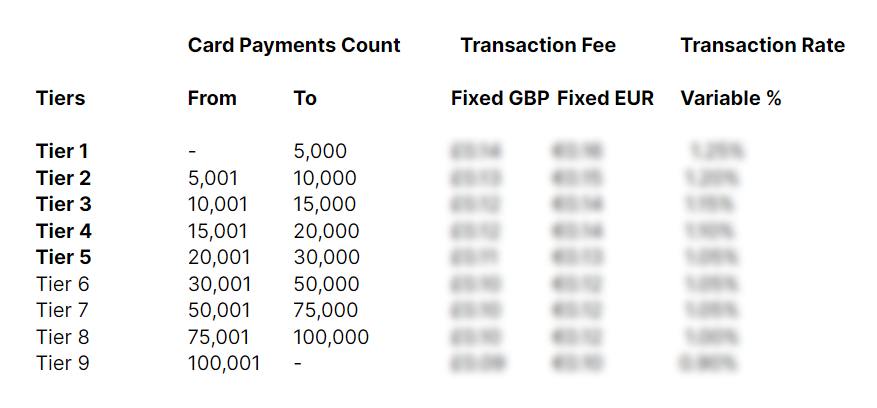
- Here you may see a table listing your fees in a tiered structure
- Cross reference the "Transaction Count" value you saw in the Companies section to the "Card Payments Count" value in the table to find out the fees applicable for you
Please contact support@javelinhq.com in case you have any further questions.